







What is Sliding Santa Clause?
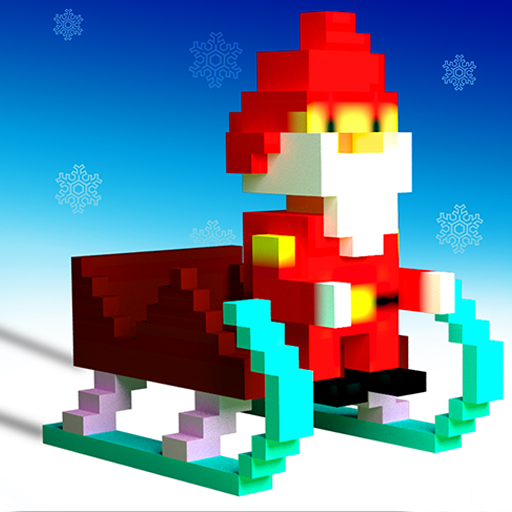
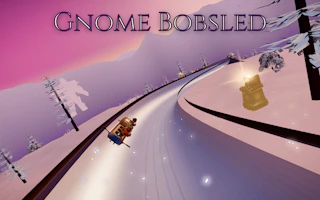
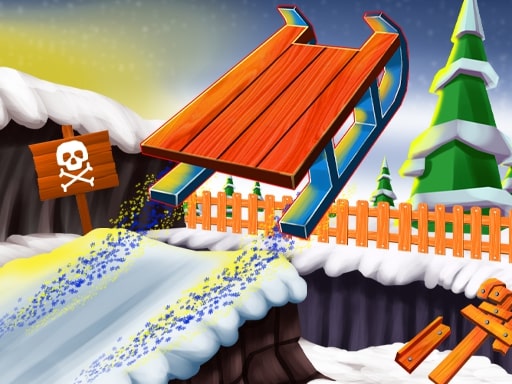
Sliding Santa Clause is a Christmas sled ride from Webgameapp, loaded through the official GameDistribution embed. The distributor’s own sentence is only that an arcade game is waiting, which does not say what you ride. The official screenshots do. Santa is in a red suit, sitting on a red sled, in a snowy forest. Wrapped gifts sit on the snow. Pines, snowmen, and rocks crowd the lane. That is a sled, so the game is on the sledding shelf and on the Christmas shelf. It is not a ski game and it is not a board game. We have not mapped a full playthrough, so this page does not invent a score formula, a life count, or a finish banner. What we will stand behind is the picture: a seated sled, gifts worth picking up when they are already on your line, and solid obstacles you should not touch. The controls line on the distributor page says the game is played with the mouse. The mobile list is empty, and there is no portrait or landscape phone flag. Treat a desktop mouse as the right device. The frame is wide, about 850 by 480, so we show a landscape player. If the sled in the screenshot is not the ride you get after pressing play, email us and we will take the page down. Until then, this is the holiday sled for a mouse, not a phone.
Sliding Santa Clause is a Christmas sled ride from Webgameapp, loaded through the official GameDistribution embed. The published view is landscape, about 850 by 480, and the distributor lists no phones, so a desktop is the screen. The screenshots show Santa in a red suit, sitting on a red sled, in a winter forest. Wrapped gifts sit on the snow. Snowy pines, snowmen, and rocks crowd the lane with him. He is seated. The thing under him is a sled, not skis and not a board, which is why the game is filed under sledding and under Christmas. The distributor text does not describe the hill. It only frames the title as an arcade game, and the tags on the listing are arcade, santa, and sliding. The pictures are what tell you the sport. We do not repeat the distributor sentence here, because it does not say what you ride.
We have not mapped a full playthrough, so this page does not invent a scoring formula, a life count, or a finish banner. What the screenshots and the control line do support is narrower, and it is enough to play the opening. The screenshots show a seated sled ride through a forest of gifts and obstacles. Gifts are worth picking up when they already sit on the line you are taking. Snowmen, rocks, and trees are the solid obstacles, and the instruction is to leave a gap around them rather than to brush them. The distributor only says the game is played with the mouse. On this page that means you move the pointer to steer the sled. Arrow keys, a phone drag, and an on-screen stick are not the control we were given.
The frame sits in the same wide class as Super Sliding Santa, and the phone list is empty in the same way. A handset may open the browser page and still be the wrong device. Webgameapp is the developer. GameDistribution is the player. We do not host the file. Open the embed in a landscape window, use a mouse, and treat the first minute as a look at the forest the screenshots already showed. If the frame prints a prompt that adds a key or a counter, believe the prompt. A missing full playthrough is a reason to stay quiet about lives and finish lines. It is not a reason to ignore the sled, the gifts on the line, or the gap around the pines, snowmen, and rocks.
How to play Sliding Santa Clause
The steps say to press play, start from the distributor splash with the mouse, steer the sled through the forest lane the game shows, pick up gifts that sit on the line you are already taking, and leave a gap around snowmen, rocks, and trees. The detail under that order is the pointer. This is not a keyboard sled. Moving the pointer is the steer the GameDistribution page states, so the habit to build is a small pointer move that biases the red sled, then a pause so the sled can settle in the lane. A large sweep of the mouse is a lane change. Use it when the lane in front of the sled is actually blocked, not because a gift sits one sled-width off the line. The opening of the ride is the time to see how far one small pointer move carries you. The screenshots are a forest, not a tutorial, so that first look is part of the run.
Gifts on the snow you were going to ride are the pickups. A gift that asks you to close the gap on a pine, a snowman, or a rock is the one to leave. We still do not publish a point value for a gift, and we still do not publish a life total or a finish banner, because a full playthrough was not mapped. The thing to repeat is the line: seated sled, pointer steer, gifts that are already in the lane, space around the solid objects. If the mouse does nothing, click the frame so the player has focus, then move the pointer again. Do not switch to arrow keys because another Santa sled on this site uses them. Do not turn a phone sideways and expect a touch layout. The published shape is about 850 by 480, and the mobile list is empty. When their splash is the restart, use it. The next attempt should be a quieter pointer, not a new control scheme.
- Press play, then start from the distributor splash with the mouse.
- Steer the sled through the forest lane shown in the game.
- Pick up gifts that sit on the line you are already taking.
- Leave a gap around snowmen, rocks, and trees.
Controls
- Keyboard
- Mouse, as the GameDistribution page states. Move the pointer to steer the sled.
- Touch
- This release is marked for a desktop keyboard.
Tips
Use a desktop. The distributor did not mark phones, and this page will not invent a touch scheme to cover that. Keep the window wide enough for the landscape frame. Treat the first run as a look at the forest. The screenshots show gifts and solid obstacles, not a lesson with numbered beats. Santa is sitting on a sled. If you wanted skis, this is the wrong page and the wrong category. Give pines, snowmen, and rocks a gap you could see if you paused the picture. A line that shaves a trunk is the line the steps tell you not to ride. Take the gift that is already in open snow. Leave the gift that lives in that gap.
Do not import the coin shop from Super Sliding Santa, and do not import the gift quota from Stunt Santa. Those are other studios and other loops. Sliding Santa Clause has its own embed. There is no shop step in the notes for this title, and there is no level list to clear. If the pointer steer feels late, shorten the mouse move instead of adding a second wild correction. Two large moves in a row throw the sled across the lane and into the obstacle you were leaving room for. The tags arcade, santa, and sliding describe the shelf. They do not describe a formula. If the ride inside the frame is not the seated sled the screenshots show, that is a listing problem, not a reason to guess a keyboard layout while you wait. Play the mouse, the red sled, and the forest you can see.
- Use a desktop. The distributor did not mark phones.
- Treat the first run as a look at the forest. The screenshots show gifts and solid obstacles, not a tutorial.
- If you wanted skis, this is the wrong page. Santa is sitting on a sled.
Sliding Santa Clause vs Super Sliding Santa
Super Sliding Santa, from Parrot Games on GameDistribution, is the comparison. It is also a seated Santa on a sled, also landscape, also about 850 by 480, and also missing from the phone list. Keyboard left and right steer that one. Coins sit on the hill. Something that stops the sled ends the run, and between attempts those coins can change the sled. The shop can change, so that page does not freeze an upgrade tree. Sliding Santa Clause is Webgameapp. The steer is the mouse pointer. The scene the screenshots fix is a red suit, a red sled, wrapped gifts, snowy pines, snowmen, and rocks. Gifts here are taken when they already sit on your line. Coins and a shop are the other game. Both are solo. Both recommend a desktop. The studios are not the same, and the hand on the control is not the same.
Super Sliding Santa can tell you the loop after a stop: the run ends, then the shop. Sliding Santa Clause does not publish a life total, a finish banner, or a points formula, because a full playthrough was not mapped. What it does publish is the gap around snowmen, rocks, and trees, and the gifts you pick up without leaving that gap. The camera on both pages is a wide landscape frame of about 850 by 480. There is no second player on either feed, and no phone layout on either feed. If you want a keyboard and a sled you spend coins on, open Super Sliding Santa. Stay here for the pointer, the red sled, and a forest you steer by leaving the solid objects alone. If the frame later prints a score or a life, follow the frame for that session. These notes stay with the sled, the mouse, and the line the screenshots already showed.
Super Sliding Santa has its own page if you want that run instead.
Sliding Santa Clause FAQ
Sledding Games embeds Sliding Santa Clause from the official GameDistribution player published for Webgameapp. We do not host the game file, and this page is not the official Sliding Santa Clause website. The name, art, and trademark stay with Webgameapp.