



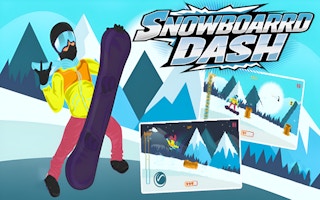


What is Snowboard Girl?
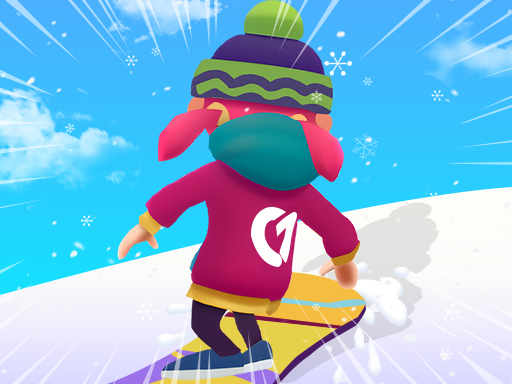
Snowboard Girl is a board run from Playtouch, embedded from the official GameMonetize player. The frame is 800 by 600, so we show a 4:3 landscape window. Their page describes a snowboard you keep balanced while the speed climbs and the obstacles get harder. It does not list touch in the instructions, so we do not promise a phone. A mouse on a desktop is the safe assumption. The title is the category: snowboard, on the snowboard page. Their tags also include the word ski. We do not file it as a ski game, because the thing in the title is a board. We also do not dress the page up. The listing is short, the instructions repeat the same balance-and-speed idea, and that is all we claim. Steer enough to miss the obstacle and not so much that the board washes out. Speed is the reason small inputs get large. If the first slopes feel empty, stay with them until the balance is dull. A later slope will not be kinder to a habit you never learned. Sleds are on the sledding page. Gates and jumps are on the ski page. This one is the simple board run.
Snowboard Girl is a snowboard balance run from Playtouch, embedded in the official GameMonetize player. The frame is landscape, 800 by 600. The instructions on their page repeat three jobs: avoid obstacles, keep balance, and increase speed. They do not list touch. The page does not promise phones. A desktop is the setup those instructions can support, and this guide will not upgrade that into a handset claim. The category is snowboard. Their tags include both ski and girl. The title is Snowboard Girl, so the sport filed here is the sport the title names. This is a board run. A ski tag on a distributor page is their metadata. The filing on this site follows the title, and the shelf is the snowboard category. Playtouch is the developer string. GameMonetize is the player.
Balance is the word that separates this page from a plain dodge. You can miss every obstacle and still fail if the board tips. You can hold a steady board and still miss the written job if the speed never rises, because increasing speed is one of the three instructions. The third job, obstacles, is the collision. All three arrive without a diagram. The 800 by 600 window is wide enough for a desktop view of the slope and small enough that a huge browser window does not invent detail the game never drew. Play it at a size where the rider balance is easy to see. A correction that is too large tips the board the other way. A correction that is too late meets the obstacle at the same time the balance goes. The instructions put the three jobs together because they fail together.
This guide does not import a control scheme from the neighboring board game. SnowBoard Game, the compare page, tells you to click buttons with a mouse. Snowboard Girl does not say that. If the frame shows a control, follow the frame. If it does not name keys, this page will not name them either. The safe sentence is the one their page supports: a desktop screen, a snowboard, obstacles avoided, balance kept, speed increased. A phone might run the embed. The page does not promise that it will, so the first setup is a desktop. Judge the session by the three jobs. Clear of obstacles, still balanced, and faster than the opening. That is the run their text describes. The capital letters in the title are ordinary. Snowboard Girl is the string to search, and the ski tag is not a second title.
How to play Snowboard Girl
Open the 800 by 600 landscape player on a desktop. Start the run and watch the board balance before you chase speed. Avoid the obstacles as they show up. Correct the balance in small amounts so the board stays under you. Increase speed once those corrections are small and repeatable. A speed increase that immediately dumps the balance has failed two of the three jobs at once. Back off, find the speed you can hold, then add a little. The instructions do not mention touch, so keep the session on the desktop the page can support. If a control is drawn in the frame, use that control. Its name is theirs. The first minute is a balance drill with obstacles in it. See how far the board can tip before you lose it, and see which way the correction has to go. Then bring the speed up on that same stretch.
Obstacles get less forgiving as the speed rises, which is why the instructions put both jobs in view together. Miss the obstacle by a margin you can still balance. A huge swerve that avoids the sprite and throws the board has avoided one failure and collected the other. Repeat until all three jobs are true in the same descent: clear of obstacles, balanced, and faster than the opening. Say the descent in one sentence you could repeat: where the balance needed a small correction, which obstacle got the margin, where the speed was allowed to rise. If the sentence has a tip in it, the next run fixes the tip before it adds speed. Playtouch is the studio on the page. The category is snowboard. The window stays 800 by 600 and landscape. Give it width on the desktop, and give the board a quiet line until the three jobs share one run.
- Start a run in the landscape player.
- Keep the board balanced as the speed picks up.
- Miss the obstacles instead of steering through them.
- Retry the same slope until the balance is repeatable.
Controls
- Keyboard
- A pointer on a desktop. The GameMonetize instructions do not list touch.
- Touch
- This release is marked for a desktop keyboard.
Tips
Keep balance as the first correction and speed as the second. The instructions list both, and a faster board is harder to keep upright, so the order you practice them matters. Obstacles are the third thing you steer around, using the smallest move that still misses. Touch is absent from the instructions, and no phone is promised. Stay on a desktop. Even if a handset happens to load the embed, the promise was theirs to print, and they printed the three jobs. The repair for a tip is a smaller correction made sooner. The repair for a hit is an earlier move away from the obstacle, small enough to save the balance. The repair for low speed is a gradual increase on a stretch you already survive. Do one repair at a time. A faster, wider, later move is three changes, and the next crash will not tell you which one mattered.
Read the ski tag as metadata, and read the title as the sport. Snowboard Girl, from Playtouch, is a snowboard page. The category slug is snowboard. Failure looks like a tip, a hit, or a run that stays slow. The window is 800 by 600 and landscape, which is the same published size as SnowBoard Game and a different set of instructions. Do not borrow that game mouse-button map unless this frame draws buttons and tells you to click them. Until it does, the control sentence stays cautious: the page does not promise phones, and it does not name a key. Use a desktop. Watch the balance. Miss the obstacle by a small margin. Add speed on the stretch that already stayed upright. That is the whole loop their text supports, and it is enough for a session that can be repeated without inventing a finish line they never wrote.
- Small steers. Speed turns a big lean into a crash.
- Do not open this on a phone and expect a portrait layout. The frame is 800 by 600.
- It is a snowboard game even though one of their tags says ski.
Snowboard Girl vs SnowBoard Game
SnowBoard Game is the compare page. Keep their capital B when you look it up. Both games are GameMonetize embeds at 800 by 600 in landscape, and both sit in the snowboard category. The boards ask for different work. Snowboard Girl, from Playtouch, is a balance-and-speed run: avoid obstacles, keep balance, increase speed, with no touch listed and no phone promised. SnowBoard Game, from Quantum Studio, is a 2026 mouse game: click the buttons, ride the slopes, avoid obstacles, reach a finish. The Girl instructions never mention a finish line. Success here is the three jobs held at once. Success there is arriving. The cameras match, so a shared window size will not teach you the other game rules. The input and the failure are the difference, and they show up in the first minute.
SnowBoard Game names the mouse on drawn buttons and leaves touch unmarked. Snowboard Girl names no device at all. The page does not promise phones, which is why a desktop is the cautious setup beside the balance rules. You fail here by losing balance, by hitting an obstacle, or by leaving the speed low. You fail SnowBoard Game by hitting an obstacle or by missing the finish. A balance habit from this page is a useful caution on any board, including theirs, because a late swerve dumps a finish-line run too. Their button map is still their page. This page will not pretend the Playtouch instructions said click. Open SnowBoard Game when you want a mouse, a Quantum Studio credit, a 2026 date, and a finish. Stay with Snowboard Girl for the balance, the speed, the obstacles, and a desktop reading of a page that never promised a phone.
SnowBoard Game has its own page if you want that run instead.
Snowboard Girl FAQ
Sledding Games embeds Snowboard Girl from the official GameMonetize player published for Playtouch. We do not host the game file, and this page is not the official Snowboard Girl website. The name, art, and trademark stay with Playtouch.