


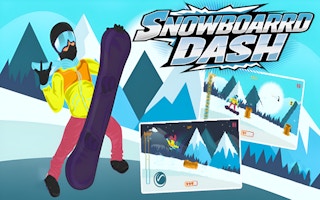


What is Snowboard Game Party?
Snowboard Game Party is a landscape board race from the studio credited on GameDistribution as Online Games. The title on their page hides a zero-width character between “Game” and “Party”. We use the readable name. Their blurb mixes snowboard with the words “ski tracks”. The title and the snowboard tag are what we file, so this page is on the snowboard shelf and not on the ski shelf. The frame is wide, 1334 by 750, and phones are listed. Click or tap to play, which is the whole control line they published. The race puts other riders on the hill with you. Snowballs, fences, and sudden slopes are the hazards their listing names. Winning earns points you can spend on gear and a look. We have not played a full season of that shop, so we will not invent what each unlock changes. Finish a clean race before you care about the closet. A jump that looks fast and lands you in a fence did not help. The category is snowboarding. A sled is the wrong sport, and the Ski King games are the wrong series. If the embed that loads is not a board race, tell us and the page comes down.
Snowboard Game Party is a wide race on a snowboard, from the GameDistribution listing credited to Online Games. The published size is landscape, 1334 by 750. The feed lists iOS and Android. The controls in that listing are mouse click or tap. The category on this site is snowboard, which matches the GameDistribution tag on the game. Our title is the clean phrase Snowboard Game Party. Their title string hides a zero-width character between the word Game and the word Party. The page drops that invisible character and keeps a normal space, so the title is readable and searchable. Online Games is a generic developer string. It is still the credit the feed prints, and it is the credit this page uses. The picture is wide. A tall portrait window would fight 1334 by 750, so the player stays landscape on a monitor or on a phone turned sideways.
The distributor text mixes ski-track wording with a snowboard title, and it also uses the word multiplayer. This page follows the title and the snowboard tag. The article does not copy their blurb. What the listing supports is a race with other riders, obstacles such as snowballs and fences, points, and unlockable gear. We have not played a full match. That limit is part of the guide. There is no lap count here, no friends list, and no rule about what a snowball does on contact beyond the instruction to avoid it. Other riders are in the race with you. If a rider sits on your line, treat that rider as something to miss, in the same family as a fence. Points are part of the loop. Gear can be unlocked. The shape of the match beyond those facts stays inside the frame, where we have not timed a full run.
Read the page as a landscape race you start with a click or a tap. On a desktop, click. On a phone the feed names, tap, and hold the handset in landscape so the 1334 by 750 frame has room. When the game shows a control, a point tally, or a gear choice, use what it shows. When it does not, this page will not invent the missing button. A keyboard scheme from Snowboard Master 3D does not transfer unless this frame draws it. The listed input is click or tap. Snowballs and fences are examples, named because the listing names them, Other sprites can still show up. Avoid whatever lands on your line. Unlock gear when the game offers the unlock. The developer line, the clean title, the size, and the phone list are the facts that should be true before you care about a score.
How to play Snowboard Game Party
Open the landscape player and start the race with a mouse click or a tap. Keep the phone sideways if you are on iOS or Android. Ride with the other riders, and avoid the obstacles. Snowballs and fences are the examples this guide will repeat, because they are the examples the listing gives. Stay on a line that misses them. Points come from the race as the game counts them. We have not timed a full match, so there is no target score and no promised number of opponents. Play the field that appears. If a rider is in your line, move off that line with a click or a tap, early enough that the board is clear. The first attempt is a look at how crowded the hill is and how the click or the tap moves the board. The second attempt misses the same obstacle earlier.
Unlock gear when the game offers the unlock and you have whatever it asks. The price, the menu, and any change to speed are unpublished here, because the listing says the gear is unlockable and then stops. Click or tap the choice the frame shows, then return to the race and ride the board you are on. If you cannot tell a difference, ride anyway. The confirmed jobs are the race, the obstacles, and the gear you were allowed to unlock. Gear does not steer a hill you have not seen. Avoid the snowball or the fence first. Take points when they sit on that safer line. A point that pulls you into a fence fights the race. The input stays the listed one. Mouse click on a desktop. Tap on the phones the feed names. Leave arrow keys and jump buttons on the pages that actually print them.
- Start a race from the game menu after you press play.
- Click or tap to steer the board along the track.
- Miss snowballs, fences, and the other riders.
- Finish, then spend points on gear if the shop is open.
Controls
- Keyboard
- Mouse click, as the GameDistribution instructions say.
- Touch
- Tap. iOS and Android are listed. The frame is landscape.
Tips
Avoid the obstacles before you think about the gear. A snowball or a fence on your line is the failure the listing supports. Unlockable gear is the reward layer, and it arrives after a race you can repeat. Use the first attempt to see the crowd and the control. Use the next attempt to miss the same obstacle earlier. Keep the plan that small, because a full match has not been played for this guide. The wide frame is part of the plan. 1334 by 750 wants a landscape hold. A tall window letterboxes the race or squashes it, and a squashed race hides the fence until you are on it. Give the player width on a monitor, or turn the phone sideways before you judge the tap. iOS and Android are a real phone promise. The touch form of the control is a tap, paired with a mouse click on the desktop.
If a tap does nothing on a phone, try the click on a desktop before you decide the embed is dead. The two inputs are both in the listing, and one of them may be the one the build is listening for. The developer line says Online Games. The title on our page has an ordinary space between Game and Party, with the zero-width character removed. Search and links should use that clean title, Snowboard Game Party. The GameDistribution tag is snowboard, and the category slug is snowboard. Their blurb can keep its ski-track wording. We do not. The race, the other riders, the obstacles such as snowballs and fences, the points, and the unlockable gear are the sentences this page will repeat. Anything past that, a lap rule, a lobby, a ranked season, stays out until the frame itself shows it during a match we have not claimed to finish.
- Learn one track before you open the gear shop.
- Other riders are obstacles. Give them the same gap you give a fence.
- The distributor text says “ski” in places. The title is a snowboard race, and that is the shelf we use.
Snowboard Game Party vs Snowboard Master 3D
Snowboard Master 3D is the compare page, and it is the other wide race in this pair. Both live in the snowboard category on GameDistribution. The boards do different work. Snowboard Game Party is a race with other riders, obstacles such as snowballs and fences, points, and unlockable gear, played by mouse click or tap at 1334 by 750, with iOS and Android listed and Online Games as the printed developer. Snowboard Master 3D is a 3D hill in a 16/9 frame. You speed through turns, you jump when the jump shortens a corner, and the listing talks about props against rivals. Master 3D has no developer name. Its splash shows arrow keys or WASD, and phones are unmarked. Party does not borrow the jump-the-corner rule. We have not played a full Party match, so the jump stays on the Master page where the listing actually describes it.
Phones are the practical split. Snowboard Game Party lists iOS and Android, landscape, click or tap. Snowboard Master 3D does not list phones, and a desktop is the recommended screen. Failure differs with what each listing describes. On Party, the supported mistake is hitting an obstacle in the race, a snowball or a fence among them. Gear is an unlock the listing offers, and this guide does not turn that unlock into a loss condition. On Master 3D the mistake is a thrown race: a jump that faces the crowd, a prop used before a clean finish, or a slow line that never sees the front. The cameras are both landscape, Party at a published 1334 by 750 and Master at 16/9, and the input is the difference you feel in the first second. Click or tap here. Use the splash keys on Master 3D. Open Snowboard Master 3D for the desktop 3D hill and the corner jumps. Stay with Snowboard Game Party for the wide race, the phone list, and gear the feed says you can unlock.
Snowboard Master 3D has its own page if you want that run instead.
Snowboard Game Party FAQ
Sledding Games embeds Snowboard Game Party from the official GameDistribution player published for Online Games. We do not host the game file, and this page is not the official Snowboard Game Party website. The name, art, and trademark stay with Online Games.