






What is SnowBoard Game?
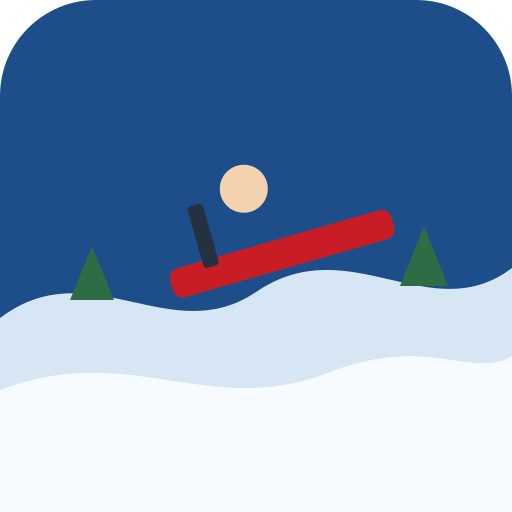
SnowBoard Game keeps the capital B from the GameMonetize listing. Renaming it would only make the page harder to match to the game you searched for. Quantum Studio is the developer named on that page. The embed is their official player, 800 by 600, which we show as a 4:3 landscape frame. The control line is specific: click buttons with the mouse. Touch is not promised, so this page says desktop and means it. The ride is a board going down a snowy course, avoiding barriers, and trying to reach a finish. That is enough to file it as a snowboard game and enough to keep it off the sledding grid. We do not copy their welcome paragraph, and we do not add tricks the listing does not describe. Use the first run to see where the barriers sit. A finish you reach slowly is a real finish. A crash at full speed is the same as not starting. The game was published on GameMonetize in 2026, which is why it is new on this site. If you wanted a phone-shaped board from a studio we have carried longer, Snowboard Hero and Snowboard King 2024 are the clearer picks. Stay here for the mouse and the finish line.
SnowBoard Game keeps the capital B from the GameMonetize page. This site does not rename it to a tidier spelling. Quantum Studio is the developer listed there. The embed is the official GameMonetize player, in a landscape window of 800 by 600. The page dates the game to 2026. The instructions say to click buttons with the mouse. Touch is not marked. The category is snowboard. You ride a board down slopes, avoid obstacles, and reach a finish. That is the loop. The welcome paragraph on their page stays on their page. The useful facts are the studio, the size, the mouse, the year, and the finish. A session here is a wide desktop view, a set of buttons the game draws, and a line aimed at the finish the instructions name.
The frame is a classic 800 by 600 landscape box, wider than it is tall, and it suits a desktop monitor where a mouse can hit the buttons. Those buttons are the controls. Click them. This guide does not add arrow keys, WASD, or a tap layer, because the instructions name the mouse and the buttons. A phone is outside the written control note. If you try one and the buttons are awkward, the desktop mouse is the setup the page actually describes. The slopes are the course. Obstacles are what you miss on the way down. The finish is the success the run is aiming at. An endless dodge can spend the whole run on time alive. This page has a place the run is trying to reach. A crash on an obstacle ends the attempt before that place. A clean path that arrives is a finished run.
Quantum Studio built a finish-line board game, and the 2026 date is the publication note from their page. The date does not add a feature. The feature list this guide will stand behind is slopes, obstacles, buttons, mouse, and finish. Play the first descent to see which click moves the board which way, and to see where the obstacles sit. Play the second to reach the finish on purpose. Hit the button early. A click made when the obstacle is already under the board is a click made late. The 800 by 600 frame has room for the buttons and the slope together on a monitor. If the player is squeezed into a narrow column, the buttons become the hard part, and the hill is no longer the thing you are practicing. Widen the window, then ride. The title, capital B included, is the title to search.
How to play SnowBoard Game
Load the GameMonetize player and wait until the buttons are on screen. Click them with the mouse. Ride the board down the slopes. When an obstacle appears, click the button that moves you off its line, and do it early enough that the board is already clear. Keep going until you reach the finish. If you hit an obstacle, the attempt is over and the finish is still ahead on the next try. The window is 800 by 600, landscape. Give it a wide desktop view so the buttons stay clickable and the slope stays readable. Touch is not marked, so the mouse is the hand that should be on the buttons. The first run is a map of those buttons. Learn which click moves you which way, on a quiet stretch of slope, before the obstacles bunch. Then ride for the finish with that map.
Take the line that reaches the end. Leave the line that looks quicker and meets an obstacle you have already hit once. Quantum Studio is the name on the page. SnowBoard Game is the title, capital B included. The category is snowboard. A session is a series of mouse-driven descents until the finish happens on a route you could describe: which button, which side, which obstacle to leave room for. Then you can try a tighter route on the same slopes, still by clicking the buttons, still aimed at that finish. A run that avoids everything and never arrives has missed the point of a finish-line page, so once the buttons make sense, point the board downhill and keep the misses small. A run that sprints into the first obstacle has missed it too. The middle path is a finish with a margin you could see if you paused.
- Press play and click through the game’s own buttons with the mouse.
- Ride the board down the course.
- Leave a gap around barriers.
- Reach the finish, then try a cleaner line.
Controls
- Keyboard
- Mouse clicks, which is what the GameMonetize instructions ask for.
- Touch
- This release is marked for a desktop keyboard.
Tips
Click the buttons. A hand resting on a keyboard, hoping the game shares another title arrow scheme, is a hand on the wrong control. The instructions are specific, and the specific thing is the mouse. Hit the button early, while the obstacle is still a shape farther down the slope. The 800 by 600 picture wants width. Widen the browser view until the buttons and the hill are both readable, then leave the window alone for the session. Resizing mid-run makes the next click land on the wrong button. The playing habit is dull: see the obstacle, click the side that is already open, continue toward the finish. Repeat the same click on the same obstacle until it is boring. Boredom on a known slope is how the finish stops being a surprise.
The finish is the result. Obstacles are the interruption. Touch stays off the promise list. A desktop mouse is the control the GameMonetize instructions give the Quantum Studio build dated 2026. Failure is an obstacle, or a descent that never reaches the finish. Both are fixed by an earlier click and a line you repeat until the finish shows up. The category is snowboard. The title keeps the capital B, so a search for SnowBoard Game matches the distributor page and this one. Do not spend the session renaming the sport or the spelling. Ride the slopes, miss the obstacles, click the buttons the game drew, and stop when the finish is a place you reached on purpose. If a button label inside the frame is clearer than this paragraph, follow the label. It is their control. Ours only promises the mouse.
- Use a desktop. Touch is not listed.
- The capital B in SnowBoard is the listing’s spelling. Search still finds it.
- Finish once before you worry about style.
SnowBoard Game vs Snowboard Girl
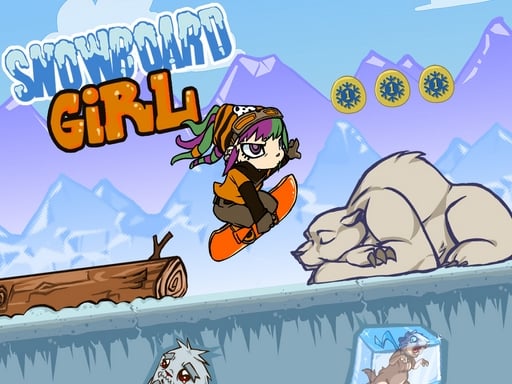
Snowboard Girl is the compare page, the other 800 by 600 GameMonetize board game. SnowBoard Game is Quantum Studio, published 2026, and the instructions say to click buttons with the mouse, ride slopes, avoid obstacles, and reach a finish. The title keeps the capital B. Snowboard Girl is Playtouch. Its instructions repeat three jobs: avoid obstacles, keep balance, and increase speed. They do not name a mouse, a keyboard, or a touch screen. The cameras match in size. Both are landscape 800 by 600. Both sit in the snowboard category. The task inside the frame does not match. This page has a finish line. Snowboard Girl writes a balance-and-speed loop and does not mention a finish. One game is a mouse on drawn buttons. The other is a balance problem whose device the page never names.
Phones are unmarked on both pages, with a sharper control sentence here. SnowBoard Game tells you to click buttons with the mouse, so a desktop pointer is the setup. Snowboard Girl does not promise phones either, and it does not name the device, so a desktop is the cautious reading beside those balance rules. Failure splits along the instructions. Here you fail by hitting an obstacle or by missing the finish. On Snowboard Girl you fail by losing balance, by hitting an obstacle, or by never building the speed the instructions tell you to increase. Their page tags include ski and girl. The title is Snowboard Girl, and the category for both pages is snowboard. A balance habit is a useful general caution on any board. Their missing button map is not this page control note. Click SnowBoard Game for the finish. Open Snowboard Girl for the balance-and-speed run.
Snowboard Girl has its own page if you want that run instead.
SnowBoard Game FAQ
Sledding Games embeds SnowBoard Game from the official GameMonetize player published for Quantum Studio. We do not host the game file, and this page is not the official SnowBoard Game website. The name, art, and trademark stay with Quantum Studio.